Saved Reports
The Saved Reports menu allows you to list all of your saved reports and gives you the option to delete them.
How to List Your Saved Reports
-
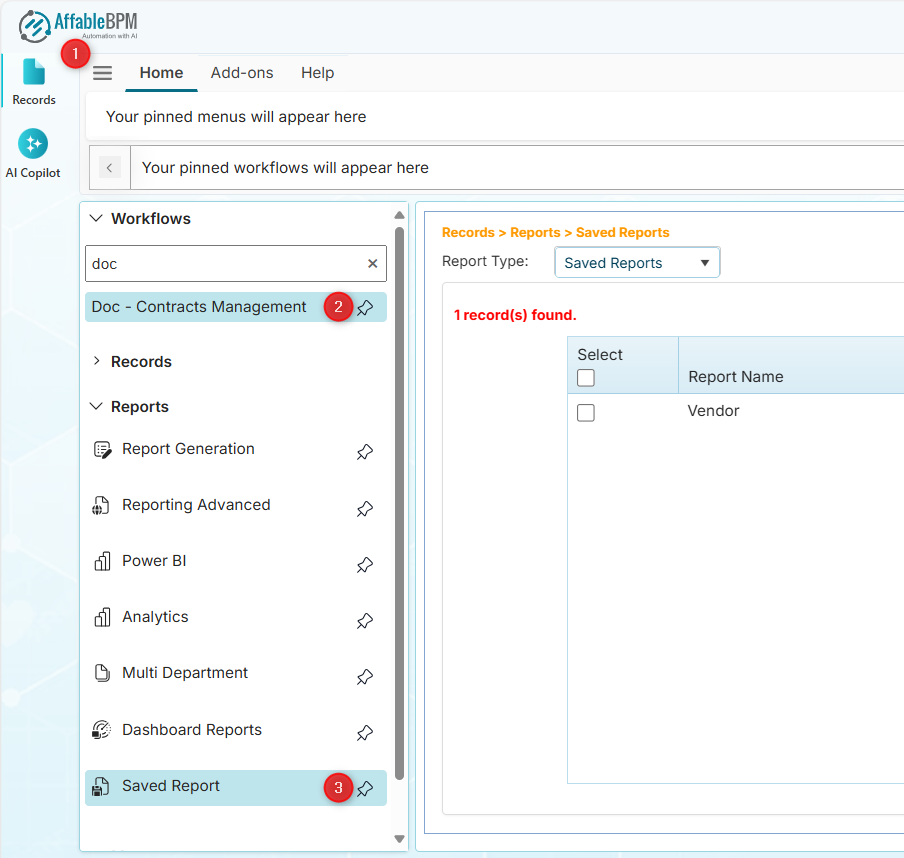
From the sidebar tab, click the Records menu.
-
Click the Workflows section.
-
Find and click your assigned workflow.
-
In the Reports section, click the Saved Reports menu.
 info
info-
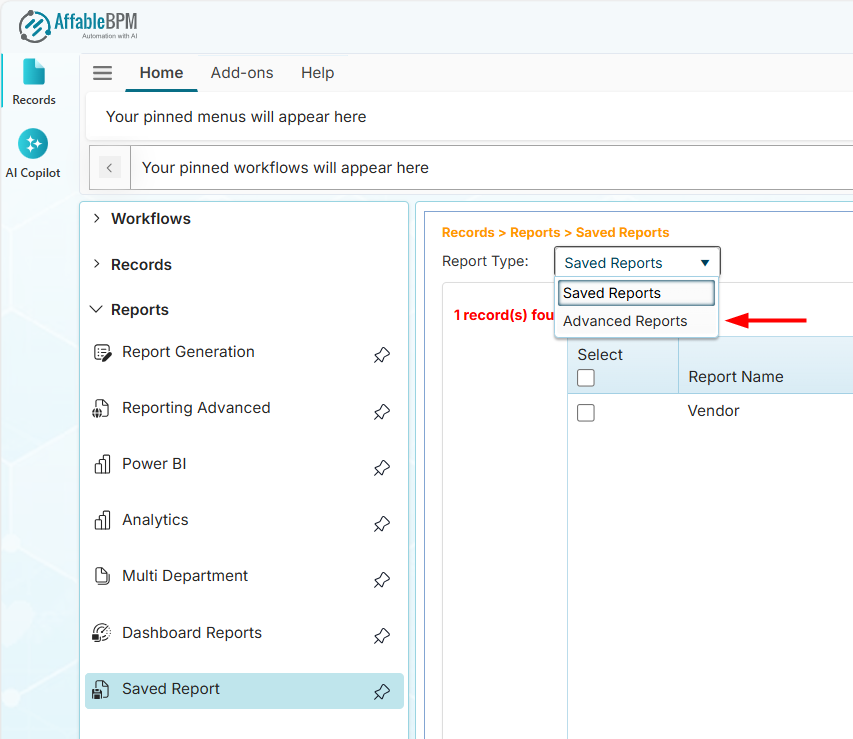
You can flter your saved reports from the Report Type dropdown.
-
You can also list your saved advanced reports from this page.
-
How to Delete Your Report
-
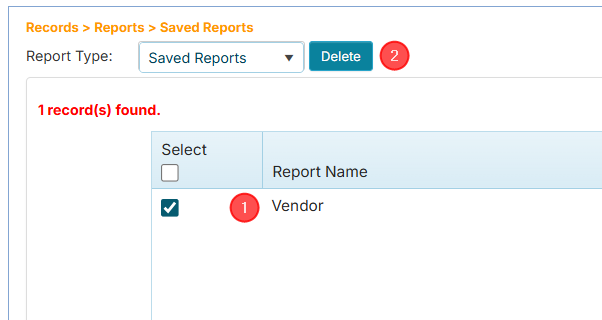
Tick the checkbox of the report that you wish to delete. The Delete button will appear.
-
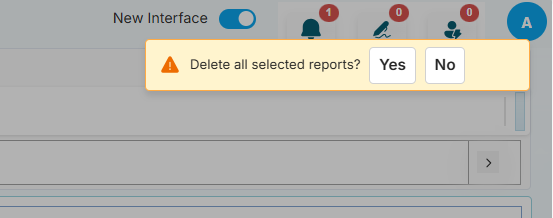
Click the Delete button. A confirmation message will appear.
 danger
The deletion of the report is permanent. There is no Undo.
-
Click the Yes button to permanently delete the report.