How to Remove a Record
A user must be granted Remove access by the Administrator before a record can be removed.
-
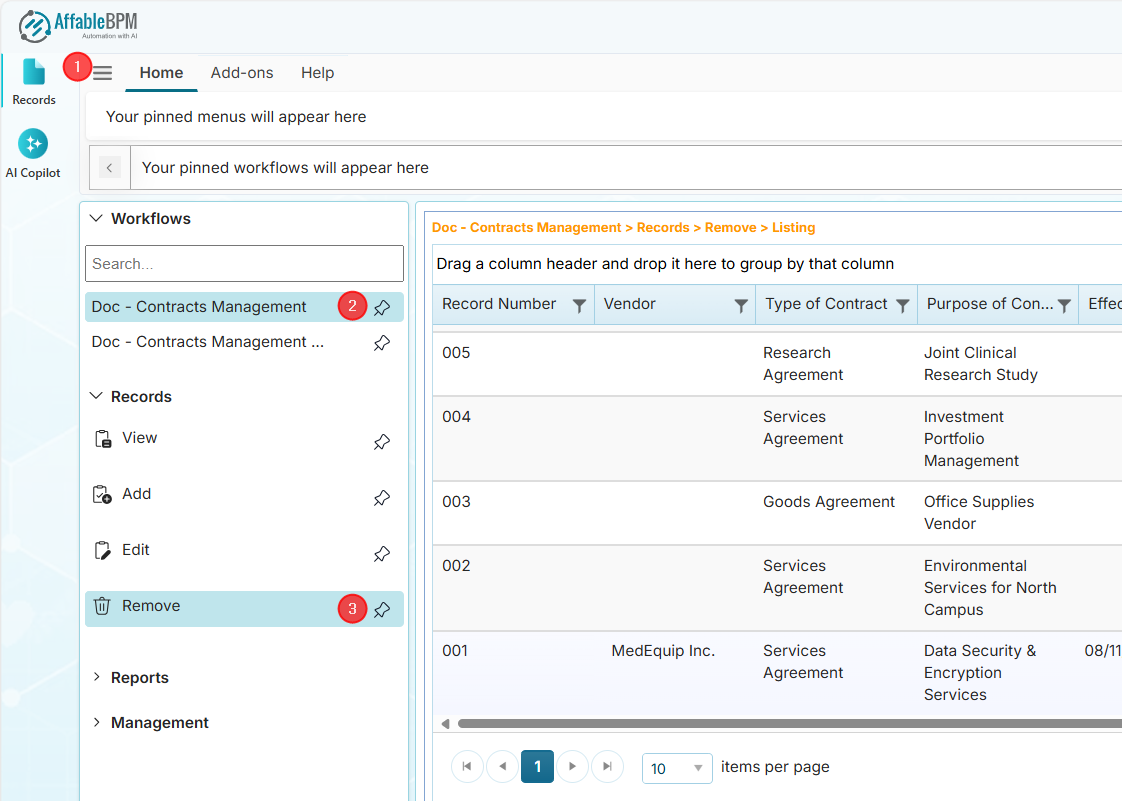
From the sidebar, click the Records menu.
-
Click the Workflows section to find your assigned workflow.
-
In the Records section, click the Remove menu.
-
From the record listing, click the record you want to remove. The record will open in Remove mode.
-
Click the Remove option from the Record Actions menu.
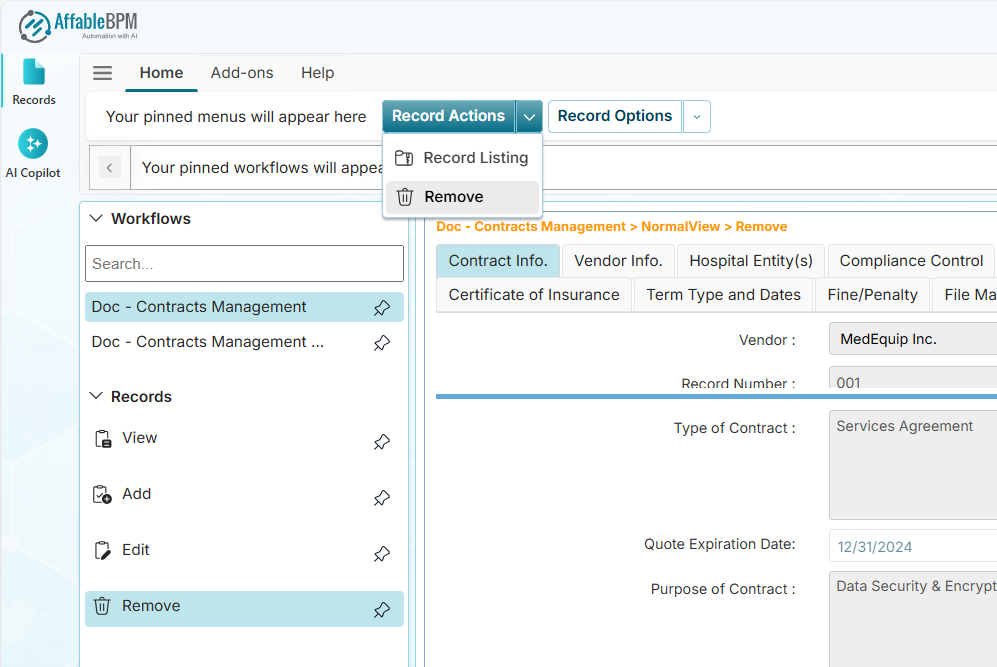
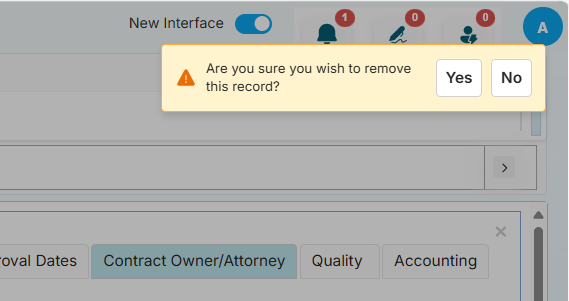
A confirmation message will appear.
 Warning
Clicking Yes will permanently remove the record. There is no Undo button.
-
Click the Yes button to permanently remove the record, or click No to cancel.
Record Options Dropdown
In Remove mode, the Record Options dropdown will disable some menus.
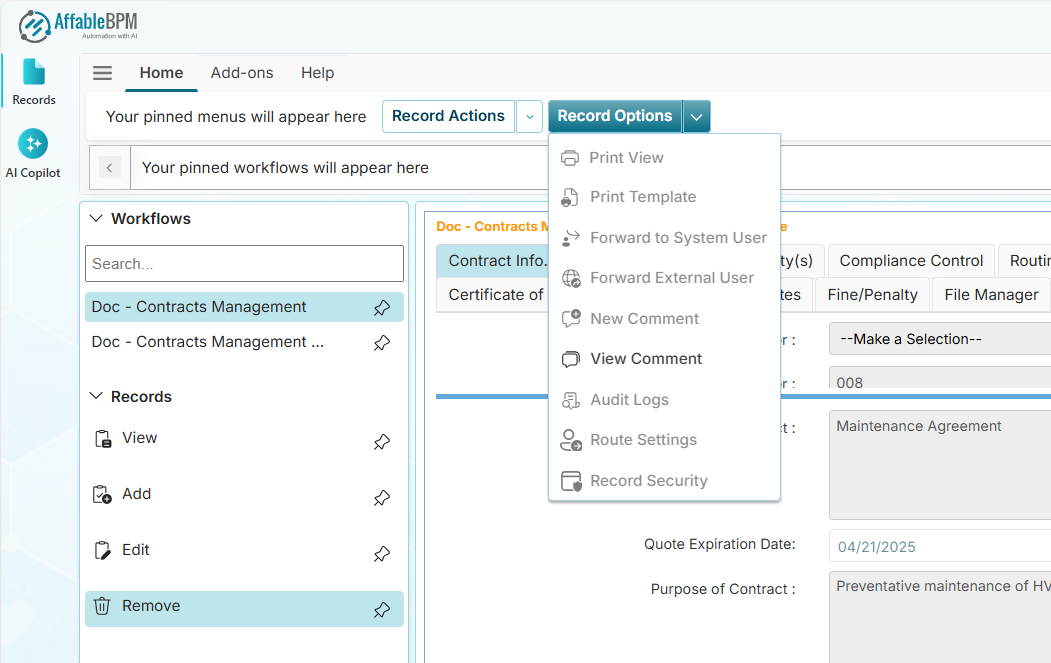
If you are granted access, some of the menus will be available such as View Comment. See Record Options menus in View mode.